
Analyzing competitors: a practical guide with anVendor
A simple guide to competitive analysis with anVendor. Find companies using competing SaaS, compare findings and turn competitor research into useful next steps.
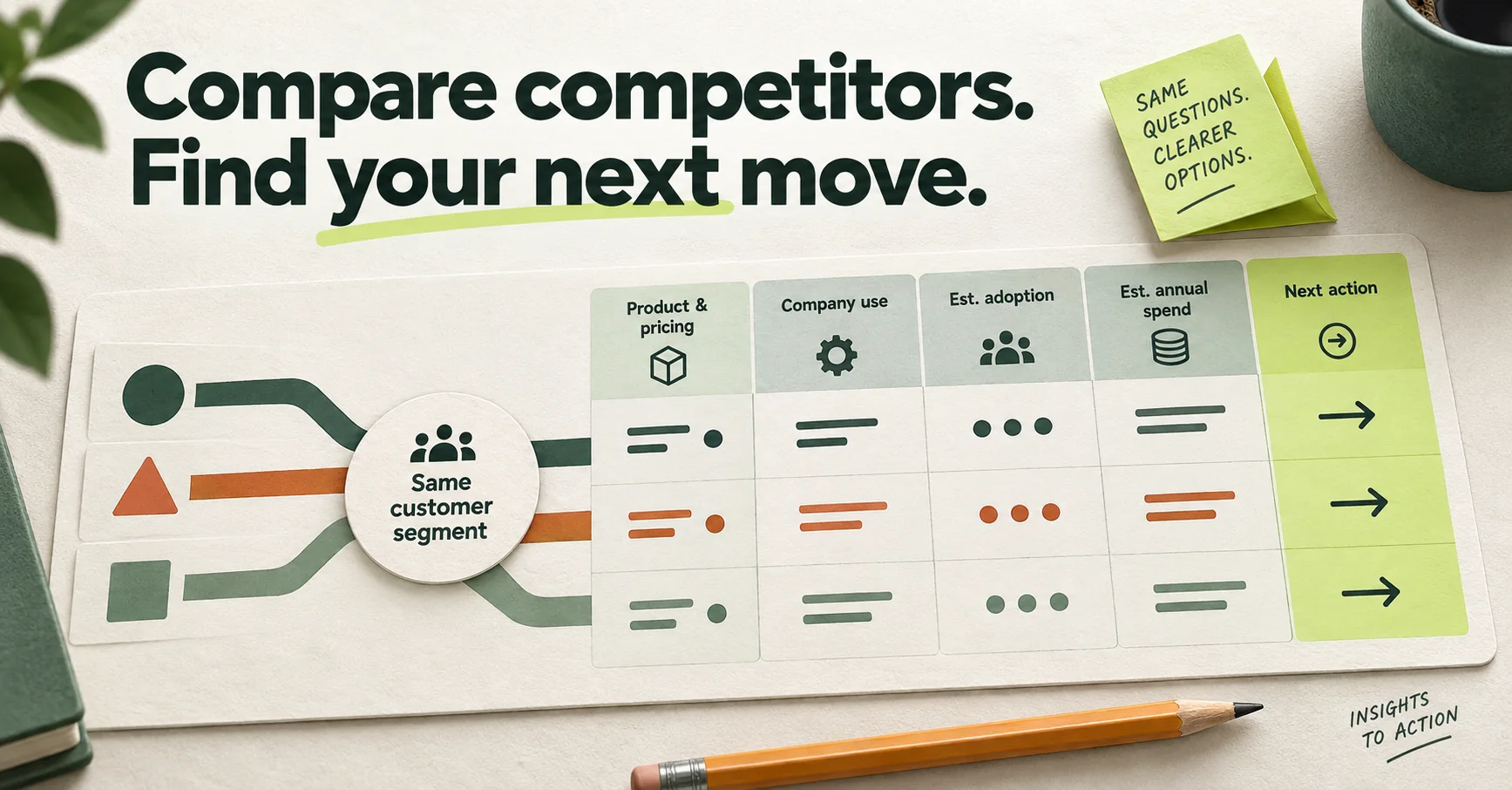
Analyzing competitors gets easier when you start with one useful question: which companies use a competing service, and which of them fit what we offer?
You can learn a lot from a rival's homepage and pricing page. To choose accounts worth talking to, it also helps to understand where competing SaaS and business services are used. That's where anVendor fits. It helps you discover companies, check vendor use beyond what a website scanner can see, and review estimated adoption and annual spend where available.
This guide shows you how to turn those findings into a practical competitor analysis, with a worksheet you can reuse.
What is competitive analysis?
Competitive analysis is the process of comparing businesses that solve the same customer problem. You look at their products, prices, messages, customers and strengths, then decide where your own offer fits.
People often use competitor analysis for the same task. It can mean a closer look at one rival, while competitive analysis can cover several alternatives. Either way, the useful output is a decision: which segment to focus on, which difference to explain, or which accounts to research next.
anVendor helps with the customer and service-use part of that work. Read each rival's product pages, pricing and customer stories alongside it. You still need those sources to compare features, promises and commercial terms.
The quick workflow
- Choose two or three competing services and one customer segment.
- Open Search leads in anVendor, choose a service, set your filters and click Discover.
- Reveal a small group of suitable companies to check service use and available estimates.
- Repeat with the other competitors using the same segment or company list.
- Open Companies and click Analyze for accounts that deserve a wider look.
- Record the findings, open questions and next action in a comparison worksheet.
What anVendor adds to competitor analysis
A website scanner can identify tools exposed by a company's public site. Many subscriptions are used behind a login and leave no visible website tag. anVendor can find evidence of company use beyond that website visibility, including tracked HR, finance, security and AI services. Coverage varies by service and company.
For a sales specialist or founder, this gives you three useful inputs:
- Company-service findings: evidence that a business uses a competing SaaS or business service.
- Estimated adoption: a way to research how widely a service may be used inside that company.
- Estimated annual spend: a range that can help you choose where to spend your research time.
A detection gives you a reason to investigate. It does not establish a paid contract, dissatisfaction or willingness to switch.
How to use anVendor for competitive analysis
1. Pick a question and a fair comparison
Start with something small: “Which competing support tool should we focus on when selling to software companies with 51–200 employees in the United Kingdom?”
Choose two or three direct competitors that serve that problem. Write down the same location, industry and company-size criteria for each. Keep broader alternatives, such as outsourcing or doing the work manually, in a separate note so you remember what buyers could choose.
Use a rival's own website to record its main promise, key features and published pricing. Then use anVendor to research relevant companies and service-use findings. This keeps your comparison tied to the same buyers and the same question.
2. Discover companies using each competing service
Create an anVendor account, then open Search leads. Enter a competitor's name or domain in Competitor or SaaS vendor and choose the matching suggestion. Choosing a suggestion fills the field; click Discover when you're ready.
Use Locations, Industry and Company size to define your segment. Repeat those choices for each rival. You can also start with the public vendor customer examples to explore available services.
Already have a target list? Paste the same company names or domains into the optional Companies field for each competing service. In this mode, anVendor uses your list and ignores demographic filters. Using the same targets makes the findings easier to compare.
Discovering companies is free. An unrevealed candidate is a company to investigate, not an established user of the service.
3. Reveal a small group and read the findings
Choose a few companies that fit your offer and click Reveal. anVendor can return an existing finding or run a live check when needed. Review the company domain and observation date alongside any available adoption and spend estimates.
A detected company-service match costs 1 credit. Checks with no detection and failed checks are refunded. The Free plan includes 20 credits per 30 days; see pricing for current allowances.
For a larger group, Reveal selected works on up to 100 rows on the current page. Reveal all processes the available list in the background, up to 10,000 companies. Review the quote before starting. Credits can be held while the run works; your balance limits paid work, and unused reservations are released when it finishes.
Check the date before relying on a finding. Results less than 30 days old are treated as fresh and may be reused. Historical findings can remain useful research leads, but they do not guarantee current use. Choose Refresh to request a new paid live scan at the displayed price.
4. Compare findings within the same segment
Bring the findings for each rival into one worksheet. Look for accounts that fit your offer and questions worth following up on.
For example, you might find a competing support service at several companies in your chosen segment. That gives you specific businesses to research. If an adoption estimate is available, use it to prepare a question about deployment scope. If a spend estimate is available, use it to judge whether more research makes sense for your sales model.
Avoid turning result counts into market share. Different services have different coverage, and discovery lists can include unchecked candidates and historical findings. Even with identical filters, the results are a research sample, not a count of every customer in the market.
You may also find more than one competing service at the same company. That could reflect different teams or use cases. It does not establish that a migration is happening.
5. Analyze the accounts worth a closer look
Open Companies, enter a company name or domain, then click Analyze. This shows the SaaS and business services anVendor finds at that company, with available adoption and spend estimates.
A company analysis costs 1 credit for the company, covering the services found. Empty and failed analyses are refunded. A fresh analysis your account already purchased can be reopened without another charge; an explicit refresh is a new paid action. Scans run in the background.
Use the wider picture to prepare useful questions. A support platform alongside a CRM might make an integration relevant to discuss. It does not tell you how the company connects those tools today. Our guide to company subscription analysis explains the findings and estimate limits.
A simple competitive analysis template
Copy this into a spreadsheet and add one column for each competitor. Use a separate tab for company-level findings, keeping the company domain, service and observation date together.
| What to compare | What to record | Where to look |
|---|---|---|
| Customer problem | The job the service helps a buyer do | Vendor product pages and customer conversations |
| Target segment | The same location, industry and company size for each rival | Your customer profile and anVendor filters |
| Product and pricing | Main promise, relevant features and published terms | Vendor product and pricing pages |
| Company use | Company domain, detected service and observation date | Revealed anVendor findings |
| Deployment scope | Available adoption estimate and a question to validate it | anVendor and a conversation with the prospect |
| Opportunity size | Available annual spend range, labeled as an estimate | anVendor; validate actual budget with the buyer |
| Your next move | A relevant difference to explain and one research or sales action | Your comparison and the gaps still to check |
Keep unknowns visible. “Not available” is more useful than a guessed number. Spend ranges are estimates in USD, not invoices or guaranteed bounds. Missing spend does not mean zero spend, and no detection does not prove non-use.
In your saved leads history, expand a service result and use Export this service to download CSV, Excel or PDF. The service export covers the matching results across its pages. Bring it into your worksheet and keep your own product research and next actions beside the findings.
Turn the analysis into a useful next step
Pick a small number of accounts where you can explain why your offer might help. Research each company, check the freshness of the finding and prepare a question about a problem you solve.
For our support-tool example, a useful opener might be: “We help growing support teams bring customer context into one place. How does your team handle that today?” That starts a conversation without claiming to know the prospect's contract or plans.
Review the worksheet regularly. Update product and pricing notes from the rival's own pages, revisit findings when needed, and track which questions lead to useful conversations. Competitive analysis earns its place when it helps you choose your next action.
For detailed list-building steps, see how to find companies using your competitor. To try the workflow, open anVendor and start with one service you regularly sell against.
Frequently asked questions
How do I start analyzing competitors?
Choose one customer problem, two or three competing services and a clear customer segment. Compare each rival's offer and pricing using its own pages. Use anVendor to discover relevant companies, reveal service-use findings and research selected accounts. Record what you know, what is estimated and what still needs a conversation.
What is the difference between competitive analysis and competitor analysis?
The terms often overlap. Competitor analysis can focus on one rival; competitive analysis can compare several rivals and alternatives. Both help you understand your options and decide how to position your offer, choose a segment or prioritize account research.
What does “analysis competition” mean?
“Analysis competition” is a search phrase people use when looking for competitor analysis or competitive analysis. In this guide, the task is comparing competing businesses and researching which companies use their services.
Can anVendor find a competitor's entire customer list?
No. anVendor provides company-service findings and discovery candidates within its coverage. Unrevealed candidates have not been checked yet. A missing company or service does not prove non-use, and result counts should not be treated as market share.
How much does competitor research with anVendor cost?
Discovering companies is free. A detected company-service match costs 1 credit. A company analysis costs 1 credit for the services found at that company. Checks with no detection and failed checks are refunded. Bulk actions show a quote first, and credits can be held while work runs.
Does competitor use mean a company is ready to buy?
No. A detection signals category relevance. It does not establish payment, dissatisfaction, buying intent or readiness to switch. Use the finding and available estimates to prepare questions, then validate need, authority and timing with the prospect.
Suggest a correction · Sources and estimate limitations
Leads already using your competitor
Discover companies using SaaS and business services, with estimated adoption and annual spend to help qualify each opportunity. Free to start.
Get started free